
iPhone 6s Rear Camera Problem Jumper Solution
iPhone 6s Camera Ways Camera Not Working Problem Repair Solution
Apple iPhone 6s rear camera problems are not very usual but they can occur sometimes. Like if you drop your iPhone 6s camera connector can be damaged. Normally changing the camera connector solves this problem but if its prints are damaged then you have to make jumpers to their respective connecting points.
Now you will notice that some of the camera connector legs jumpers are not marked in the diagram. That is because I could not trace their source and the others are just ground. Anyway, I have managed to trace all the important points and made the jumpers lines with different colors to make it easy to understand. Black colored marked jumpers are always Ground points.
Please Note that we will edit these solutions or add new ones if found in this page at any time in the future. So feel free to come back any time on this page to stay up to date.
Here are iPhone 6 rear camera connector ways. Please study these diagrams very carefully before you start repairing.
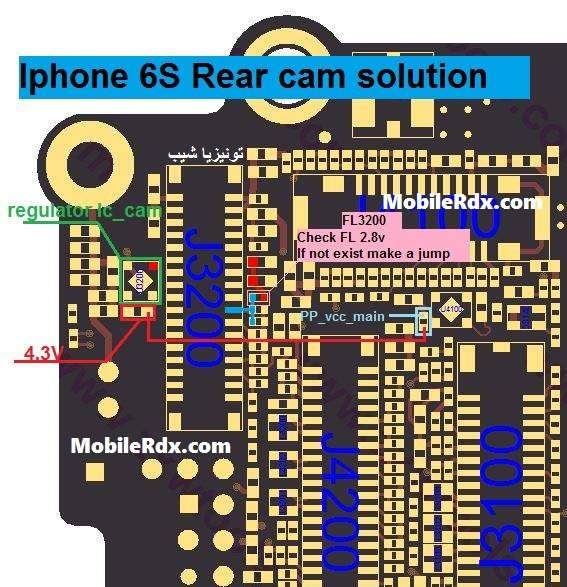
Or
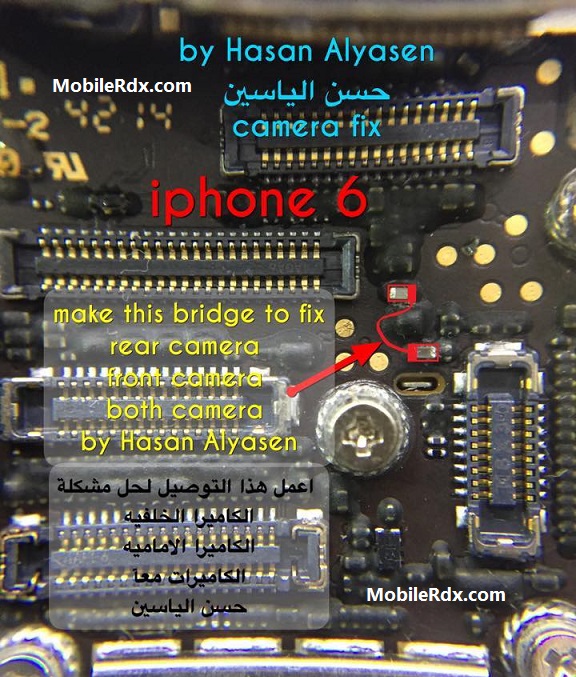
If you have any further Questions please leave a message.
Keep in mind: – The every solution posted on Our website is well tested before by our specialist team, But still, e do not take any responsibility for any damage it may cause to your cell phone. Use these repairing solutions at your own Risk, Thank you.
Apple iPhone 6s Camera, Ways, Problem, Jumper, Solution
iPhone 6s Camera Solution, Ic Jumper, Camera Not Working Problem, Camera Problem
How To Fix Camera Problem In iPhone 6s
Доброго времени суток, Уважаемые. Меня Музыкой звать.
За помощью ко мне обратился многоуважаемый пикабчянин @primorets . С его слов, аппарат уронили плашмя на твердую поверхность и камеры стали косплеить квадрат Малевича, а именно ничего ни одна ни вторая не показывает. Выглядит это так:
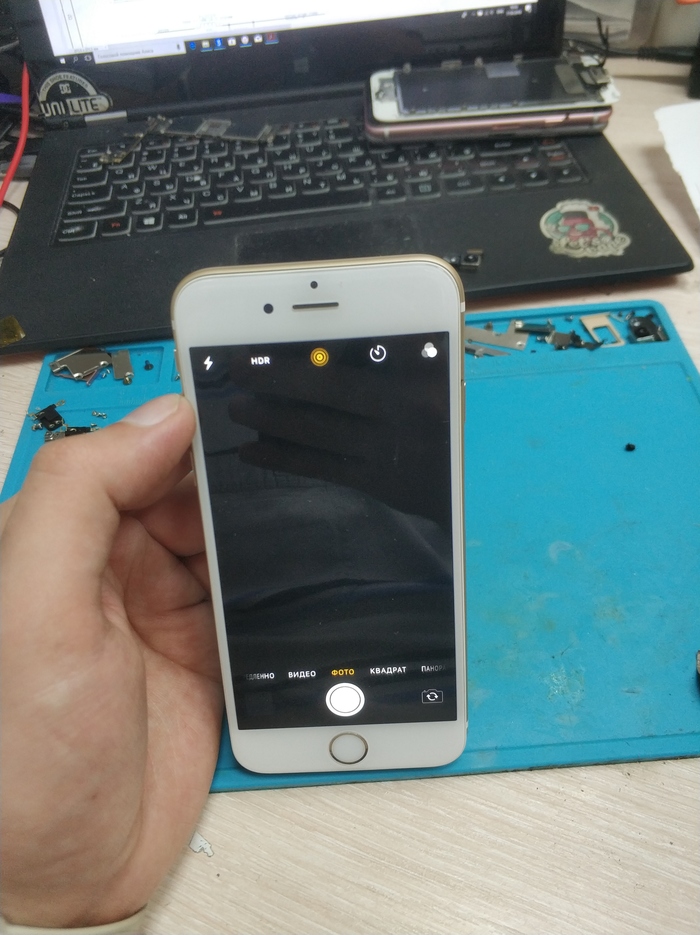
На фронталку даже переключаться не хочет, а включив FaceTime — все тоже самое. Вывод — обе камеры не работают. Разбираем аппарат (телефон ориг, я у него был первым и старался быть нежным с ним, чтобы не испортить впечатления). Для начала подкинул другие камеры — не прокатило. При «прощупывании» разъема основной камеры мультиметром — я увидел отсутствие напряжения. Напряжение на схеме обозначено как «PP2V85_RCAM_AVDD_CONN»
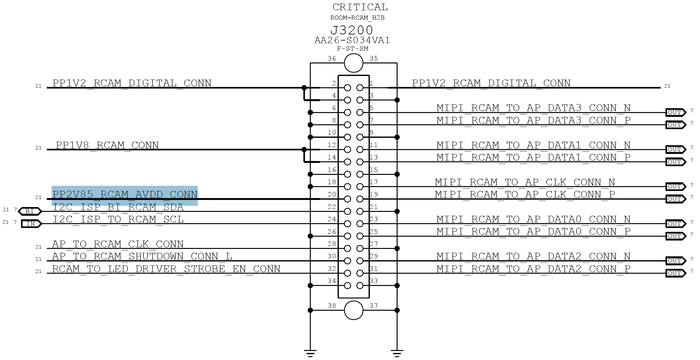
Ну и тогда начал отклеивать адгизивку вокруг коннекторов и очень внимательно смотреть.
Хоба:
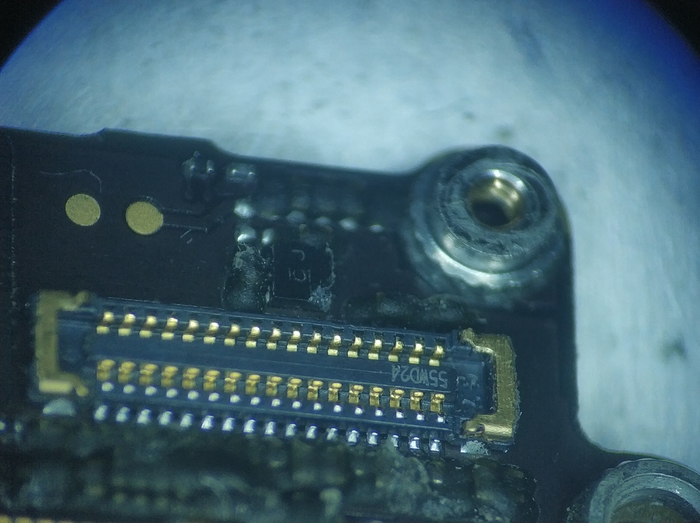
Мааааааленький скол на краю этой непримечательной микрушки (правый нижний угол черного квадратика)
Ну, сразу стало все понятненько. Как ее снимать и катать показывать не буду — все однотипно.
На схеме выглядит она так:
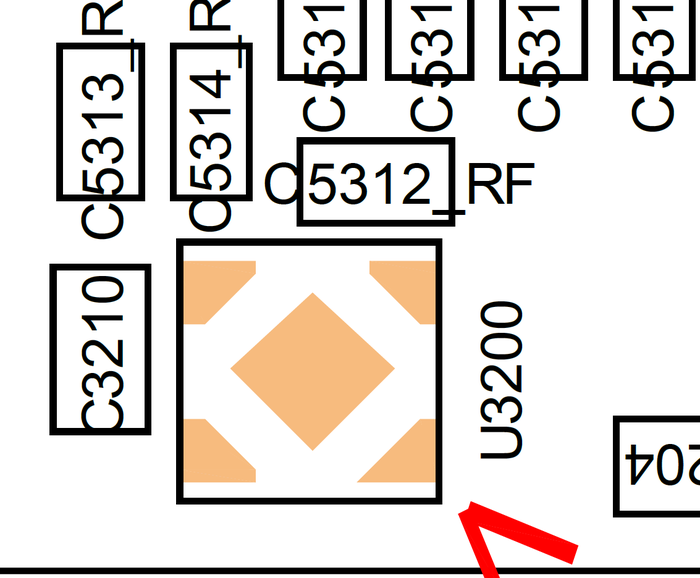
Марикровочка указана на фотке.
Так вот. Мы все это дело махнули, почистили и выглядит это так:
Posted on May 17, 2017 7:14 AM
Your photos are blurred or out of focus
If your photos are blurred, out of focus, or have dark spots, try these steps:
- Make sure that the camera lens is clean. If you need to clean the lens, use a microfiber cloth. If you see dirt or debris inside the lens, take your device to an Apple Retail Store or Authorized Service Provider for more help.
- With iPhone 7, iPhone 7 Plus, iPhone 6s Plus, and iPhone 6 Plus, a metallic case or magnetic lens could interfere with optical image stabilization. Try taking a picture without it, then compare the quality.
- To focus on a certain object or person, tap that object or person on the preview screen. You’ll see the screen pulse, or briefly go in and out of focus, as the camera adjusts. In photo mode, try to stay steady when you adjust the focus. If you move too far in any direction, the camera will automatically refocus to the center. In video mode, you can adjust the focus before you begin recording.
If you still have issues with the focus on your camera, contact Apple Support.