

Jack_Shepard1
Я скачал код программы и библиотеки к нему, но постоянно выдает ошибку. Я не понимаю, что делать
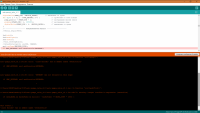
Arduino: 1.6.5 (Windows 7), Плата»Arduino Nano, ATmega328″
sketch_may23a.ino: In function ‘void loop()’:
sketch_may23a:86: error: ‘class TM74HC595Display’ has no member named ‘clear’
sketch_may23a:95: error: ‘class TM74HC595Display’ has no member named ‘set’
sketch_may23a:99: error: ‘class TM74HC595Display’ has no member named ‘set’
sketch_may23a:102: error: ‘class TM74HC595Display’ has no member named ‘set’
sketch_may23a:103: error: ‘class TM74HC595Display’ has no member named ‘set’
sketch_may23a.ino: In function ‘void timerIsr()’:
sketch_may23a:117: error: ‘class TM74HC595Display’ has no member named ‘timerIsr’
‘class TM74HC595Display’ has no member named ‘clear’
Это сообщение будет содержать больше информации чем
«Отображать вывод во время компиляции»
включено в Файл > Настройки

Totem23

mechanic
Сверлит текстолит когтями
Totem23
Вложения

Adkot
#include
#include
#include
RF24 radio(9,10); // CE, CSN
const uint8_t level_pins[7];
const uint8_t num_level_pins = sizeof(level_pins);
uint8_t level_states[num_level_pins];
const uint64_t pipe = 0xE8E8F0F0E1LL;
#include
UTFT myGLCD(QD220A,A2,A1,A5,A4,A3); // SDI,CLK,CS,RST,RS
int LED=A0;
extern uint8_t BigFont[];
extern uint8_t SmallFont[];
extern uint8_t SevenSegNumFont[];
I’m beginning in Arduino I do not understand what the error means. Please tell me where I can find the resources to understand it and allow the code to compile.
Arduino: 1.8.7 (Windows 7), Board: «Arduino/Genuino Uno»
433mhz-lcd-water-level-transmitter:2:24: error: Ultrasonic.h: No such file or directory
exit status 1 Ultrasonic.h: No such file or directory
This report would have more information with «Show verbose output during compilation» option enabled in File -> Preferences.

3 Answers 3
It means what it says:
Ultrasonic.h: No such file or directory
The file Ultrasonic.h can’t be found.
Anything in your code that starts #include. is usually a library. These are third party pieces of software that you have to obtain and install into the relevant location (See Installing Additional Arduino Libraries).
Some libraries are bundled with the IDE, and some are available through the «library manager» in the IDE. However most aren’t, and you will have to get used to finding those libraries and installing them.
The location you got your example code from will most likely link you to where to find the relevant libraries to get the code working.
This kind of error means that the Arduino IDE (assuming that is what your are using) did not find ‘Ultrasonic.h’ in a folder named ‘libraries’ within your Arduino sketch folder. (Some libraries are contained in other places within the IDE’s executable, but putting your additional libraries in ‘. /libraries’ keeps everything easy to find and maintain).
Go to File | Preferences (in Windows or Linux) or Arduino | Preferences (Mac). The top box in that dialog is the path to your sketch folder. That folder should contain one called ‘libraries’.
Posted on April 24, 2010 by itead & filed under Download .
We have already sold many HC-SR04 modules and though it is easy use and we have published a demo, still some users mail us for a specialized code of their own use – even just changing the different Arduino pins for module.
So we decided to release an Arduino Library for those beginning users. Users just need to add the library into their Arduino, and call for a function to get the distance.
Download the Library , unzip the release package to arduino-0018/libraries/ folder. Open the Arduino IDE. Note that users can include the library by Sketch-Import library-Ultrasonic, and find the example sketch in File-Examples-Ultrasonic-UltrasonicDemo.
Here we give a brief introduction of this ultrasonic ranging library.
It includes 3 functions, explained below :
1. Ultrasonic(int TP, int EP)
2. long Timing()
3. long Ranging(int sys) — (sys : CM / INC)
Download the library for HC-SR04 ultrasonic ranging module here :
Ultrasonic ranging library (unknown, 52,728 hits)