

Awave Studio v.11.3
A udio Converter — I nstrument Editor — M usic Performer
DOWNLOAD Try the free shareware.
BUY IT! Buy the full version for €75 / $85.
Runs under: Windows 10 / 8 / 7 / Vista.
Awave Studio is a multi-purpose audio tool that reads a veritable host of audio carrying file formats from different platforms, synthesizers, trackers, mobile phones… — It can be used in a variety of ways — as a file format converter, as an audio editor, or as a synth instrument editor. It is the swiss army knife for anyone working with digital audio and music.
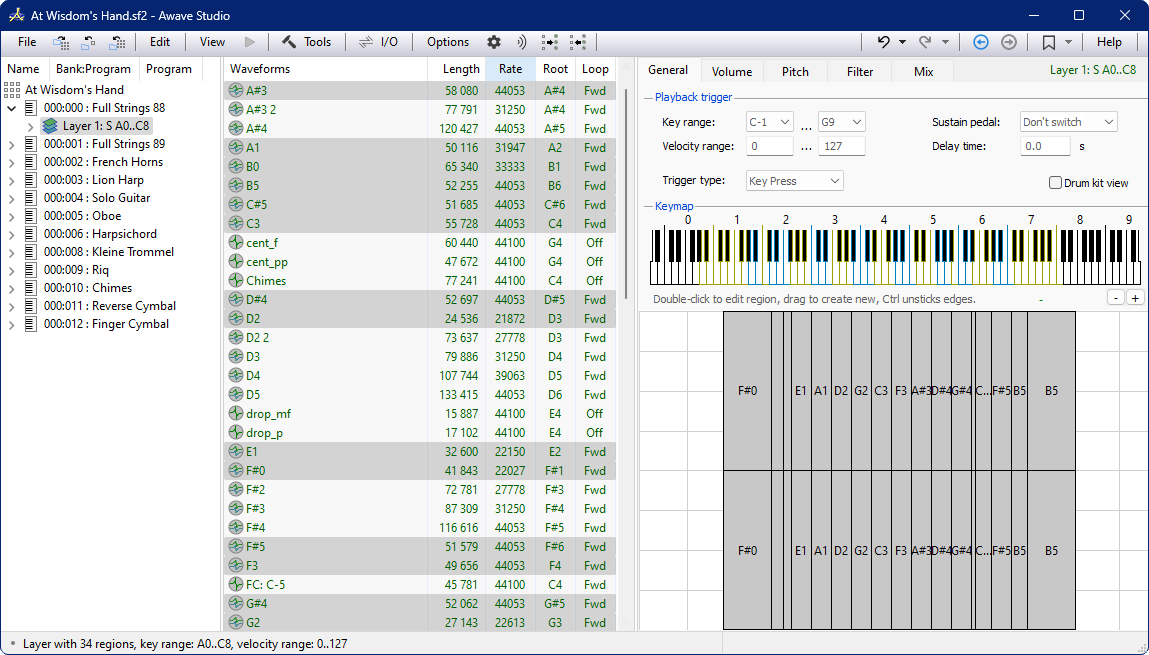
Screenshot of the main window
Here are just a few examples of common tasks:
- Convert between different audio and synthesizer file formats.
- Buy a sample CD and use Awave Studio to convert it to a format that your own synth understands. Bes > → Read about more features… → View more screenshots…
File formats galore:
Awave Studio can read almost any imaginable audio file format — in total circa 300 formats.
Some synthesizers use disk formats and file systems that are not recognized by Windows. Many of these can still be read by the program by talking directly with the hardware.
Full support for up to 32-bit floating point sample data format guarantees that the highest audio quality is maintained during all conversion and audio processing operations.
The program does so many different things — even this list is far from complete…
-
Do conversions from the circa 300 audio related file formats that it can read (no kidding — you read that right!) into any of the
140 audio file formats that it can write! No other software even comes close to such a wide format support! See the complete list.
Ok, so what doesn’t it do?
It does not convert from WAV to MIDI. It can only do very basic MIDI editing (so look elsewhere for a good sequencer). It won’t handle more than 2 audio channels (so no 7.1 sound). It needs to fit all sound data into memory (so no 10 hour recordings — but do check out Awave Audio if you need a tool for converting large recordings and/or multi-channel audio).
If you are unsure — then why not download the free 30 day-trial version? Seeing is believing!
You can try almost all functionality — we don’t hide any ugly surprises — we have confidence in our product!
The Awave Studio main window
The instrument layer overview tab
The layer keymap editor
The drum kit editor
Articulation overview page
The envelope editor
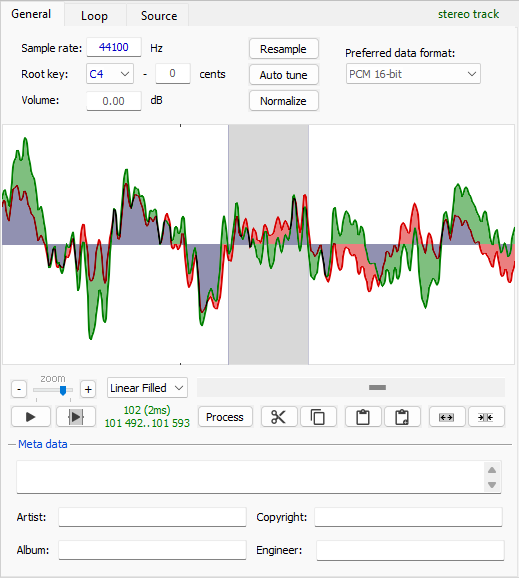
The waveform editor
The loop editor
The audio processing wizard — step 1
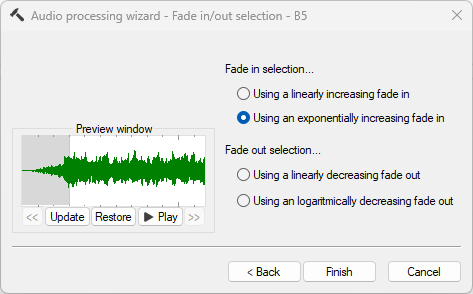
The audio processing wizard — step 2 (example)
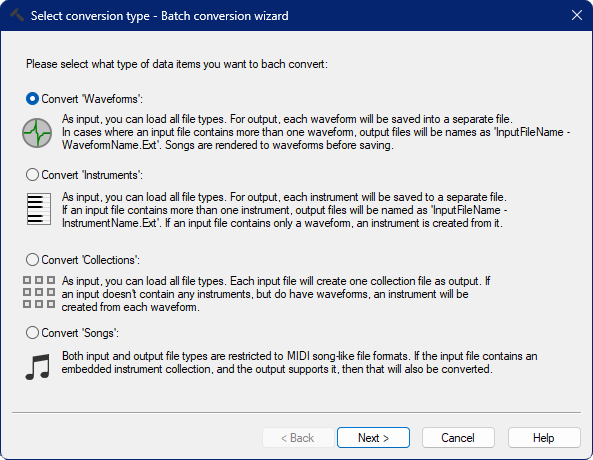
The Batch Conversion Wizard — Step 0: Selecting batch type
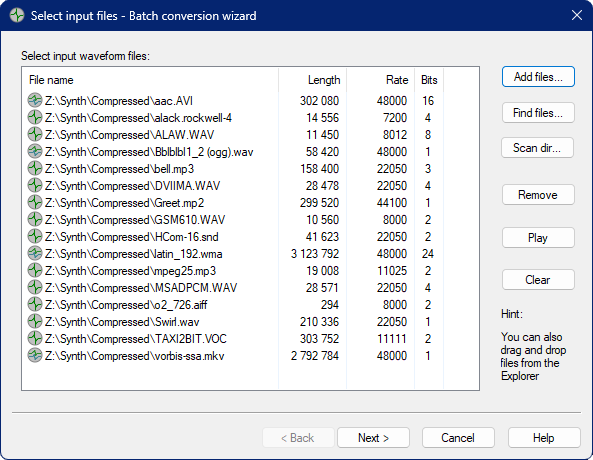
The Batch Conversion Wizard — Step 1: Selecting input files
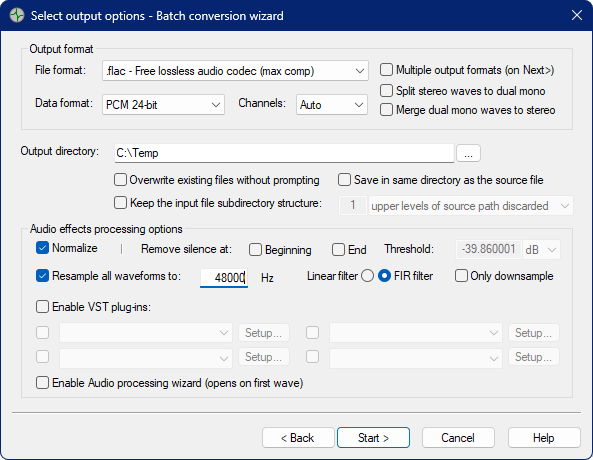
The Batch Conversion Wizard — Step 2: Selecting output options
The Batch Conversion Wizard — Step 3: Converting
Special I/O formats
The vast majority of formats that Awave Studio supports can be handled as normal files using Windows. However, a few hardware synthesizers use disk formats and/or file systems that are not compatible with Windows and can not be accessed in a normal manner. The program can directly read the following ‘special’ formats by communicating directly with the hardware and directly interpreting the file system and/or disk formats:
- Audio CD’s (a.k.a. digital CD-ripping).
- AKAI S950 format CD’s.
- AKAI S1000 format CD’s.
- AKAI S3000 format CD’s.
- Ensoniq EPS 16+ and ASR-10 format CD’s.
- Kurzweil K2000 / K2500 / K2600 «native format» CD’s.
- Kurzweil K2X00 «ISO-9660 compatible» CD’s.
- Roland S-7xx series CD’s.
- Roland S-5xx series floppy disks.
- Roland S-7xx series floppy disks.
- Send/receive samples over a MIDI cable using «SDS».
- Send/receive samples over a SCSI cable using «SMDI».
- Interchange samples with other Windows applications using the clipboard.
The following formats can not be read directly. However, you can use 3 rd party utilities to create «floppy disk image» files that it can then read:
- AKAI S900/S950/S1000/S3000 series floppy disks: Use OmniFlop to create disk image.
- Ensoniq EPS, ASR, et c, floppy disks: Use OmniFlop to create disk image.
Then there’s of course support for a whole lot of normal file formats too.
Click on one of the links below to start downloading:
- Windows 10 / 8 / 7 / Vista.
- Free Audio codec add-ons (for 3GP, 3G2, AAC, AMR, APE, COD, DSS, FLAC, M4A, MP2, MP3, MP4, OGG, OPUS, RA, SFARK, WMA).
Limitations of the Trial version
- 30-day trial time limit.
- After saving a file, you must restart before you can save again.
- You can save waveforms and single instruments, but not ‘collections’.
Awave Studio is commercial software marketed as Shareware.
This means that you get to «try it before you buy it». If you find that you like it and wish to continue using it past the 30 day free trial period, then you need to buy a license.
There’s also more some incentives for buying it:
- Removes the «nag screen» and annoying reminders.
- Removes the «restart after each save» limit.
- Enables «locked» features — e.g. copy/paste, saving collections and batch conversions.
Note! This page is for buying our product called Awave Studio.
Don’t confuse it with our similarly named product Awave Audio.
Buy it on-line here:
License and delivery terms:
After we have received your order, you will be sent an email containing a registration code. This is your license key that unlocks the trial version into the full version. Please note that the code is normally sent within 24 hours, but not immediately (also, do check your «spam» or «junk» folders if you don’t find it in your in-box).
What you buy is a «single user» license. It is valid for the current program version, and for any minor version number updates (major version updates may require an upgrade fee). You are allowed to install it on more than computer, but you are not allowed to «borrow» it to other persons. The license is personal and can not be transferred or resold.
Thank you for your order!
If everything went fine with the PayPal transaction, an email containing your reg-code and further instructions should arrive within the next 48 hours. Please be patient, orders are manually verified before delivery. If you don’t see an email, be sure to check you junk-mail folder before contacting support.
Описание редакции
Awave Studio — Программа, воспринимающая более 290 форматов аудио
Сейчас у нас нет обзора для программы: Awave Studio, версия 11.3. Если вы хотите написать обзор для данной программы, пожалуйста, сделайте это и отправьте его, мы с радостью включим его в наш сайт.
If you are a musician, audio engineer or just enjoy computer audio then the Awave Studio is for you. Features include conversion as well as batch conversion, creation, editing, copying of synthesizer instruments and much more. Now you can convert mobile phone rings, and the features of song playback and sound recording make this an exciting tool to have.



Old versions
Musicians and audio professionals, or anyone interested in digital audio and music in digital format, will surely enjoy exploring and using the wealth of features, functions, and utilities that Awave Studio offers them. This is a one-stop shop for anything related to digital audio – from conversion to editing and from sound effects to synth instrument support, this no-nonsense app comes with anything you can think of related to digital music and audio files.
Awave Studio is not a nice tool with an attractive GUI full of icons and nice colors – this hyper-comprehensive app is a tool to work with, rather than just a tool to look at. It is practical and straightforward, clearly oriented to provide you with all the options and features your need to get the job done. It converts audio between formats, but it has nothing to do with the average audio converter. It plays back nearly any audio file, but it’s not just another audio player. It records any audio coming in into your sound card, but it’s far from being a standard audio recorder.
Though this app not only performs all the basic audio-related tasks of other standard editors and players perform, this is a tool for audio professionals. It can normalize the volume and amplitude of you files, insert silence, invert and reverse audio, change the pitch scale, or resample your audio tracks. It supports a total of 300 formats, 140 of them on the output side, and can convert any number of files into any number of different formats in one single operation. No other audio tool comes closer to these numbers. Even so, this is far from being yet another audio conversion tool.
It can read and write instrument formats for well-known synthesizer manufacturers, such as Yamaha, Roland, Kurzweil, Korg, or Akai, and perform professional edits on the audio coming from any of those instruments. It reads disc proprietary formats that Windows cannot even recognize, it converts song data and MIDI songs, and emulates the FM-instruments of Japanese smart phones. It can record new audio files, play back MIDI files, find and edit loops, and much, much more.
Tasks are performed in the most professional way, allowing you to tweak nearly any parameter involved in it. The GUI is minimalist and even boring at times, hard to fathom for non-professional users, but its functionality is so extensive that it is overwhelming at times. It does so many things that the developers of Awave Studio have no problem in signaling the few things that it won’t do, such as WAV-to-MIDI conversion, surround sound audio files, or recordings larger that what your PC’s memory can handle. For anything else, you can trust Awave Studio to get the job done. Last, this is not a tool that anyone can afford, but yet again this is not a tool that everyone will use.